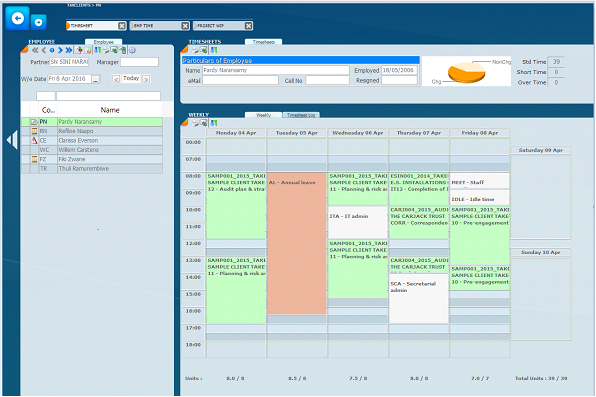
Next to each Time Sheet employee there are Icons with specific meanings.
Data validation processing is built into the time sheet capturing. Specifically:
In above screen shot, on the left is the list of employees with icons next to each employee the icons represent as follows
full std time captured ( employee PN)
over time ( Employee RN and FZ)
short time ( employee CE)
NO timesheets captured ( employee WC and TR)
You can also filter for shortime, overtime etc to only show those employees
16 May 2024