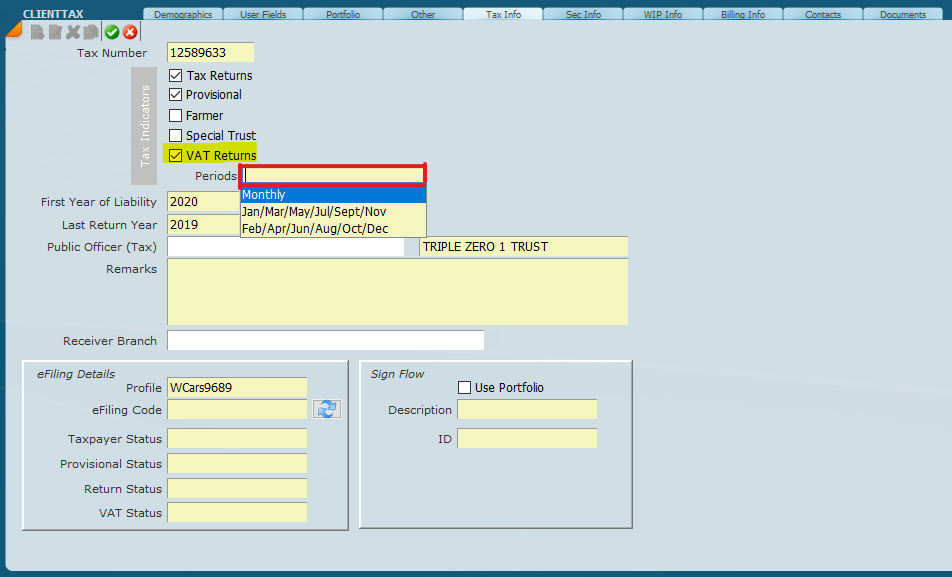
1. The first step for VAT returns is to go to Masters>>Clients screen and on the Tax Info tab tick VAT Returns and setup what Periods should be for submission
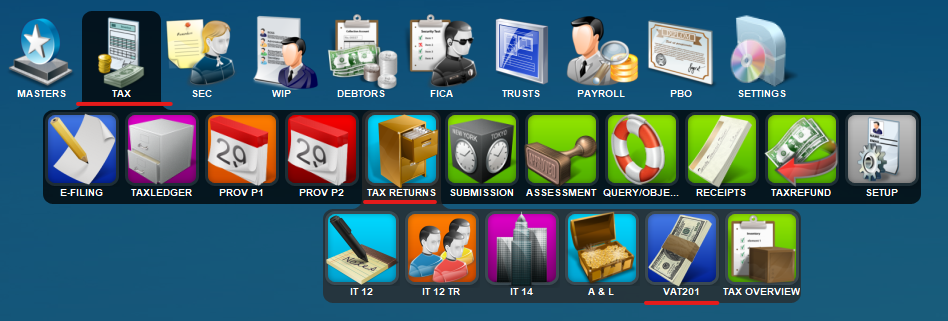
2. The you will move to the VAT 201 screen by going to Tax>>Tax Returns>>VAT201.
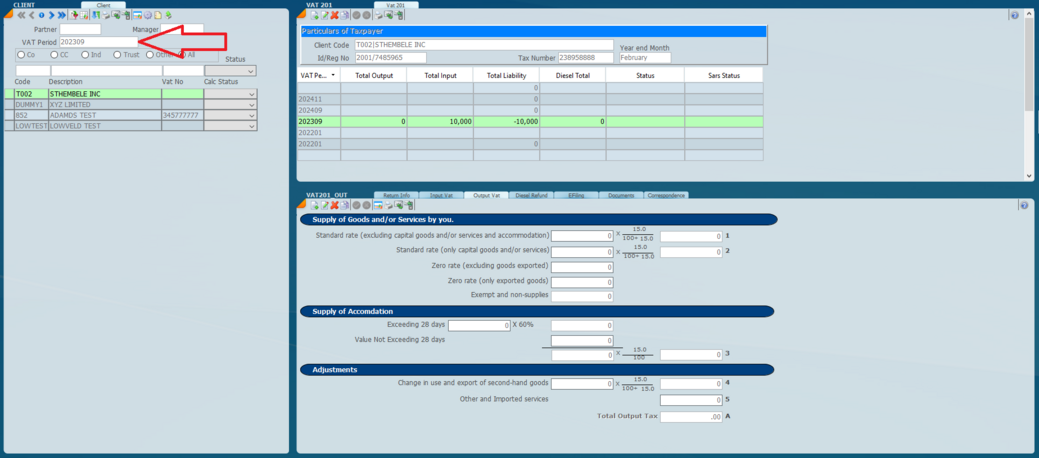
3. Once you are on the VAT 201 screen you will start by selecting your period that you will be working on, this is done on the left hand side of the screen by the
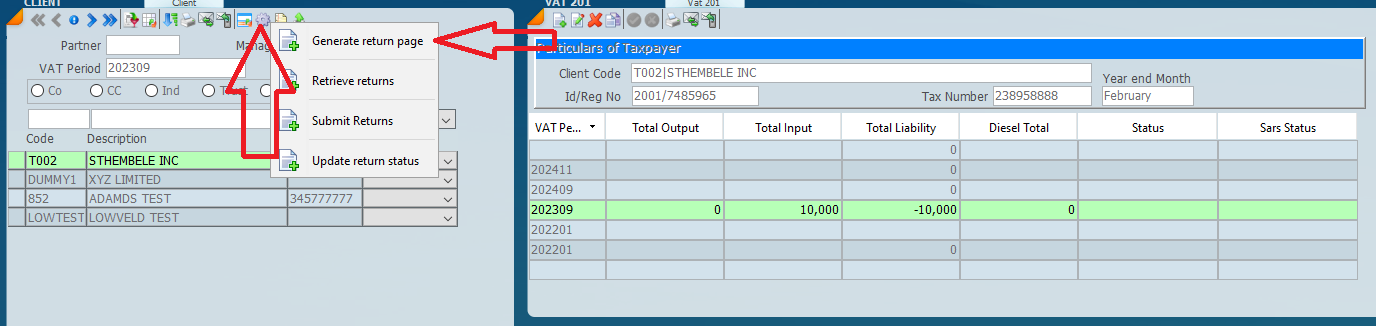
4. You will then Create the page for that period and retrieve the return, this can be done globally from the left hand side of the screen from the functions wheel or individually from the right hand side.
5. Once these steps are completed you can proceed to fill in the details in the lower sections of the screen.