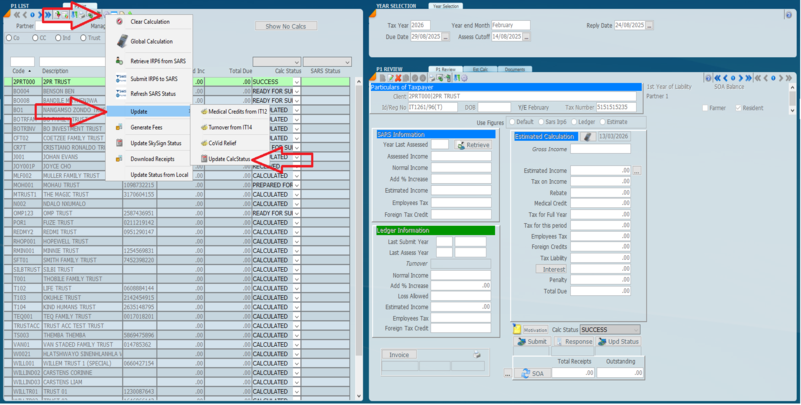
Although the status here is shown with the provisional tax review screen the method of changing the status and filtering can be used across many screens.
The calculation status is used to track and control where taxpayers are in the provisional tax process. All the status words used are user definable, however we have supplied most of them. Make use of this option to track and control the stage of e-filing a tax return and provisional tax return. E.g Calculated, Emailed etc.
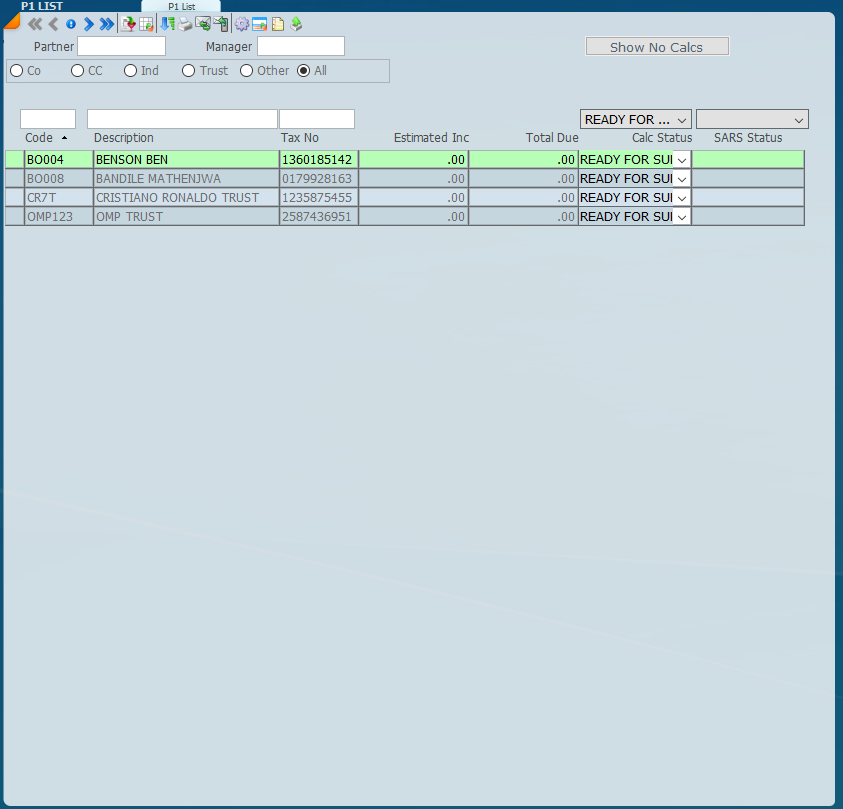
The status setting is a very powerful function and in the screen below we have set the status on some records to READY FOR SUBMISSION. When we are e-filing we can control the taxpayers we want to submit by filtering to those that are with the READY FOR SUBMISSION and FINALISED when you are satisfied the record is complete and final. Once marked finalised the record cannot be changed.
By using this approach, you have total control over what can be submitted to SARS because you can use statuses like review, query, Prepared etc.
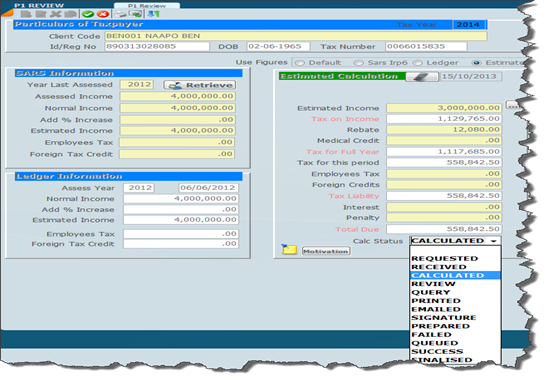
We can change the status on the left hand panel by changing the Calc Status, by the bottom of the right hand screen by putting the record into edit mode and changing the status.
Right Hand Panel
Each taxpayer can be updated on the right hand side of the screen by putting the record into edit mode and then changing the status on the bottom.
Globally
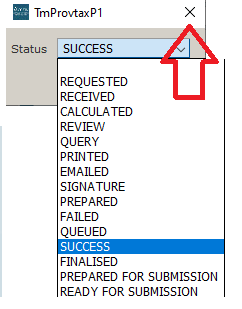
You will note that the Provisional Review Screen allows the status to be changed globally. You can globally change the status quickly by clicking the Functions Wheel at the top left of the screen then under the Update option you will find the Update Calc Status function. This is ideal for marking all the records as your specified status. The following screen will then appear for you to choose the status to complete the process click the X .
By using the global option all clients selected will be displayed. This is always a good way of marking each record as finalised.
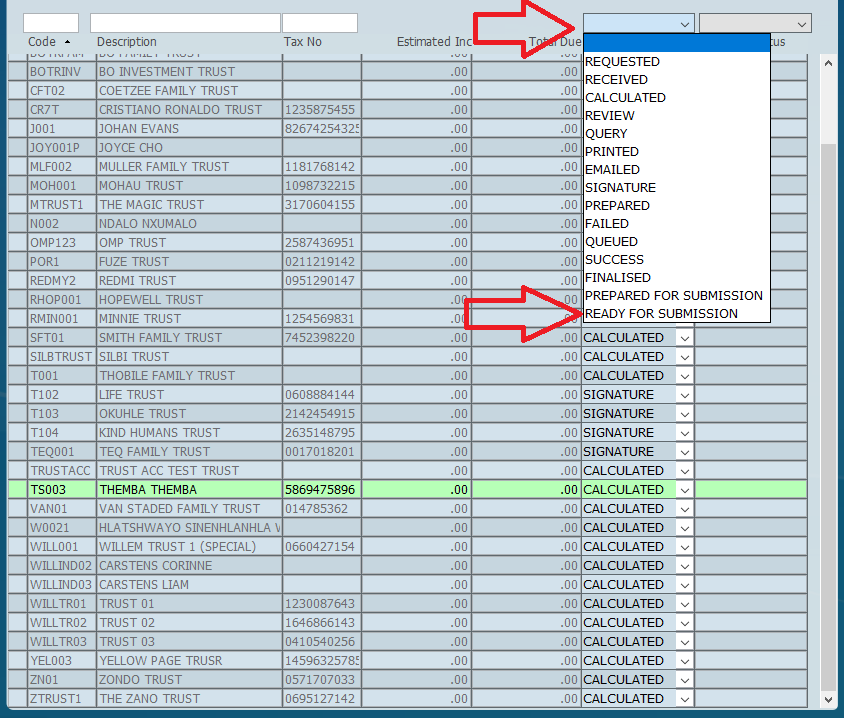
Once a status has been chosen you can select all clients with that specific status by using the dropdown shown below.
It is important to note that this function changes all clients displayed on the left side of the screen so be sure to filter your clients to only those that should be changed.


 mode and then changing the status on the bottom.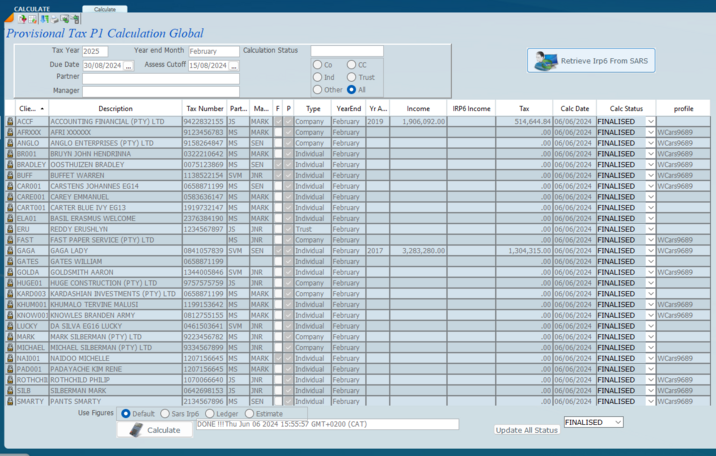
 at the top left of the screen then under the
  .
.