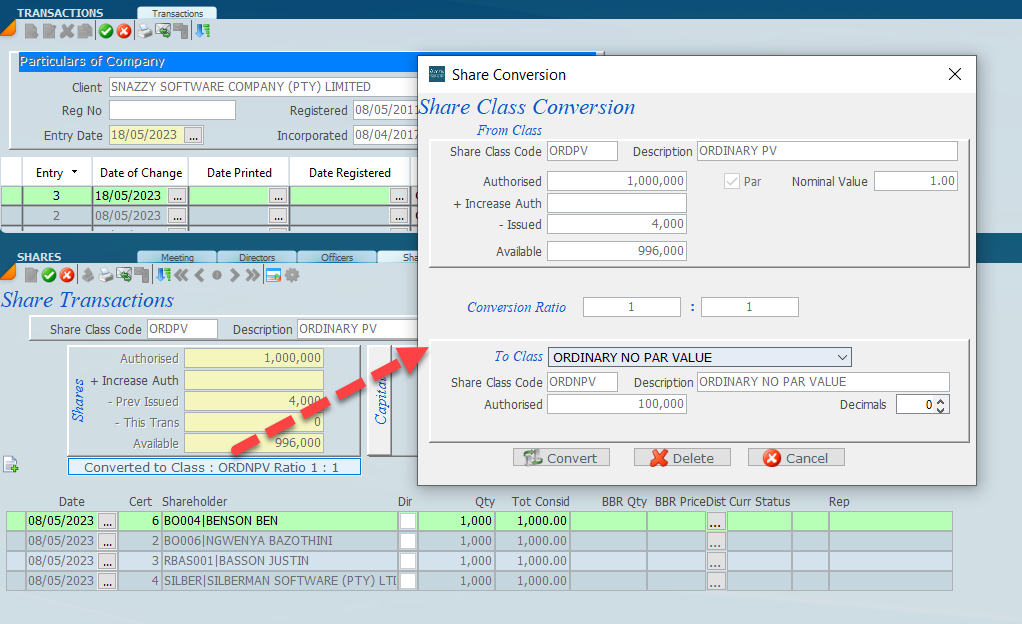
From the share transaction screen a conversion of shares from one class to another class can be done automatically. Open up in edit mode and click on converted to class. A dialogue will open and you can insert details of class require. In the screen below we are converting from an ordinary par value class to a no par value class. In the case below we are converting from 1 share to 1 share but their may be instances where a different ratio is required.
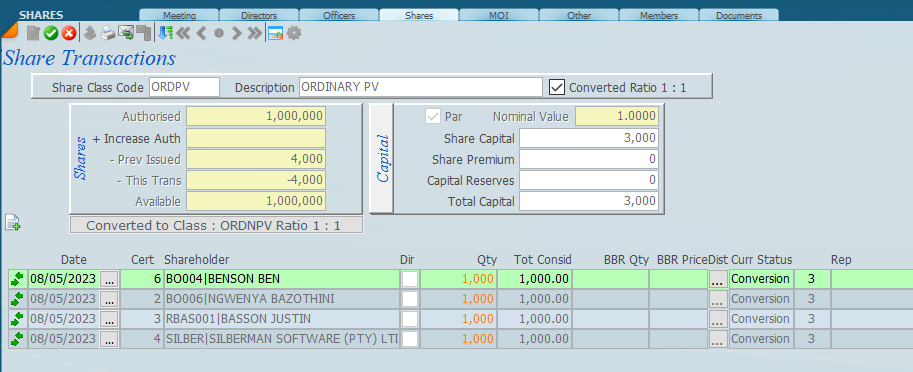
Once the screen above is entered and a conversion is run all the shares of the share class will be converted to the new class and will be tagged with the green arrows and the shares converted will be cancelled as shown below. As the number of shares is now in orange this means they have been cancelled. Also notice the number of shares.
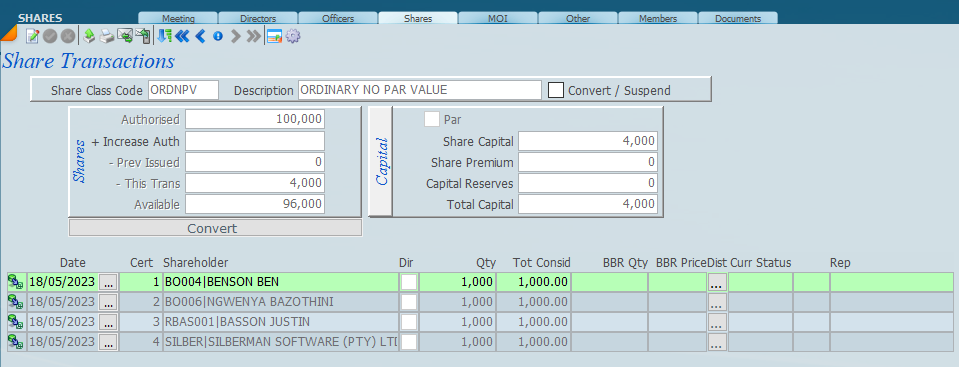
Navigate to the new share class by clicking on the right arrow and the screen will look as follows;-
The above are now the valid shares of the company and the icon on the left of each share indicates that the share was converted from another share.