Where there is business income and the business is in a partnership. The partners details must be entered on the form if the IT3(BO) has not been submitted.
This IT3(BO) form is not available as yet, therefore ALL IT12’s with business income in a partnership must submit this information on the return.
All the necessary partners in the partnership must be entered in the client file in order to make the process a smooth one.
Steps to do this in Sky (to be done for each business income in a partnership)
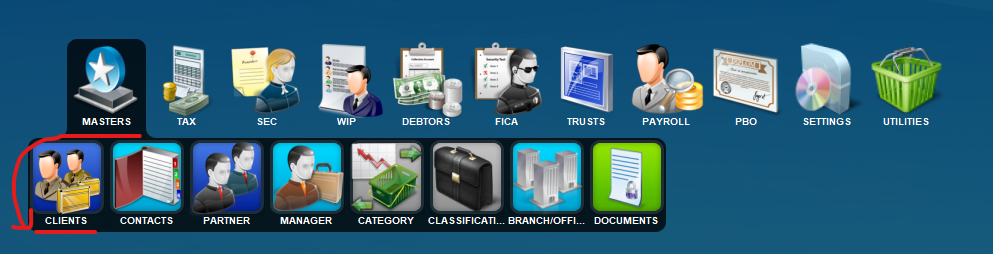
1. Navigate to the Masters Clients screen.
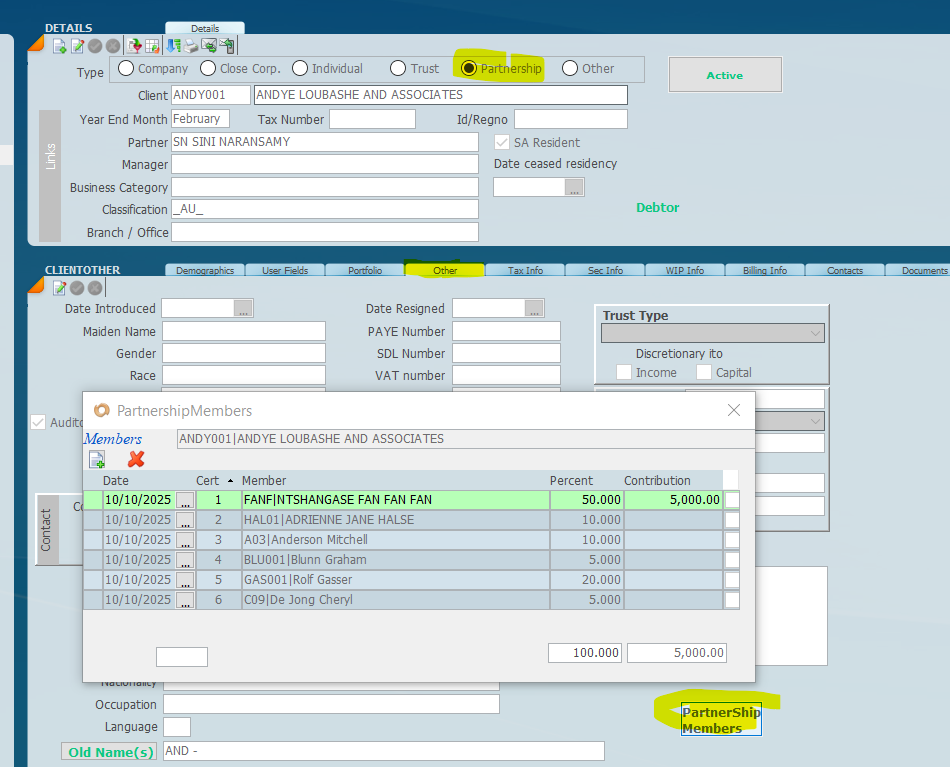
2. On the Master Client screen, create a new client and tag them as a partnership.
- Tag the client as type partnership on top right screen as indicated below.
- Under the Other tab, click on the Partnership button (the screen in the following screenshot will appear if you click on the button ).
- Enter each of the partners and the percentage holding by clicking the new button.
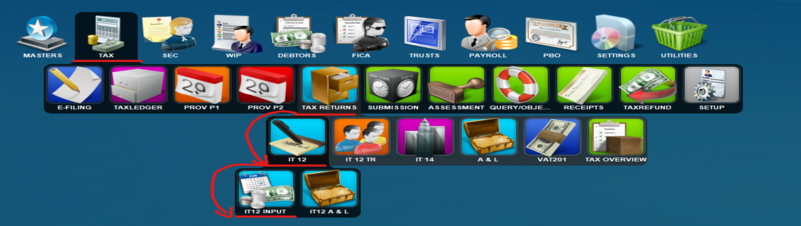
3. Navigate to the IT12 Input screen.
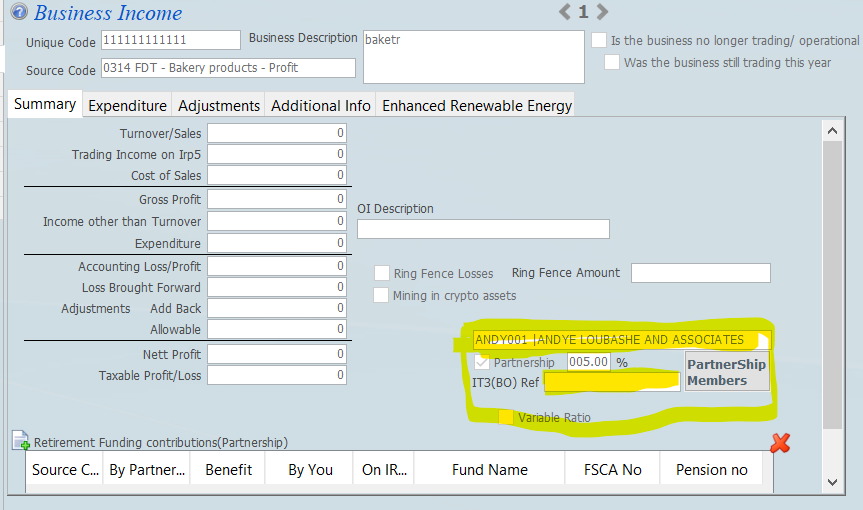
4. On the IT12 Input screen, under the “Income Tab” on the Business Income screen.
- Capture the code/name of the partnership created in masters.
- The system will automatically flag It as a partnership
- insert the percentage
- If the IT3(BO) has been submitted enter the code/ref for this submission otherwise leave it blank (this will be for future submissions, when made available by SARS).
Once all the data has been entered the tax return will file correctly.


 ).
).