How to setup email Templates
Go to the email template setup on the menu as follows
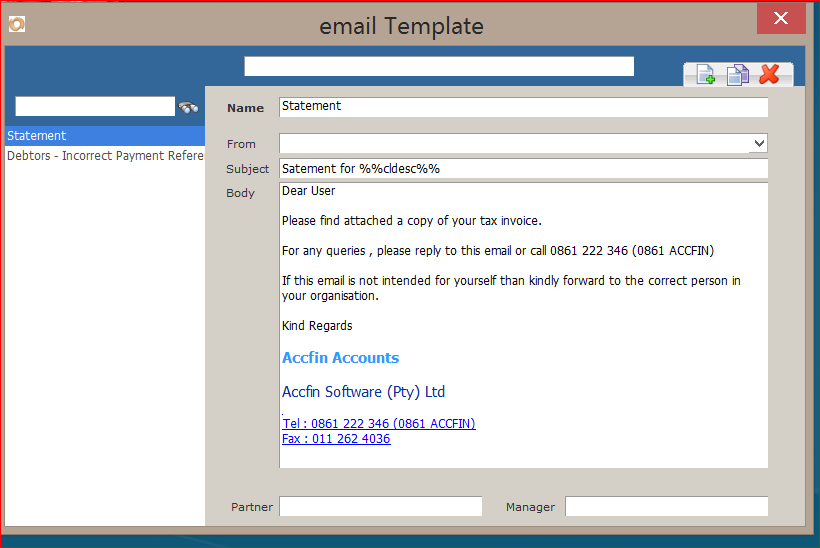
The following screen will appear
The list of currently created templates will show on the left
To edit select the template on the left and edit on the right
To create a new template, click on the new button on the top right
Enter a descriptive name , one that you will use to select when emailing
If you want a default sender email address than select this under from, or leave it blank and select at time of emailing.
The default will appear but will allow you to change at time of sending.
Enter a subject title for the email and the body as above example.
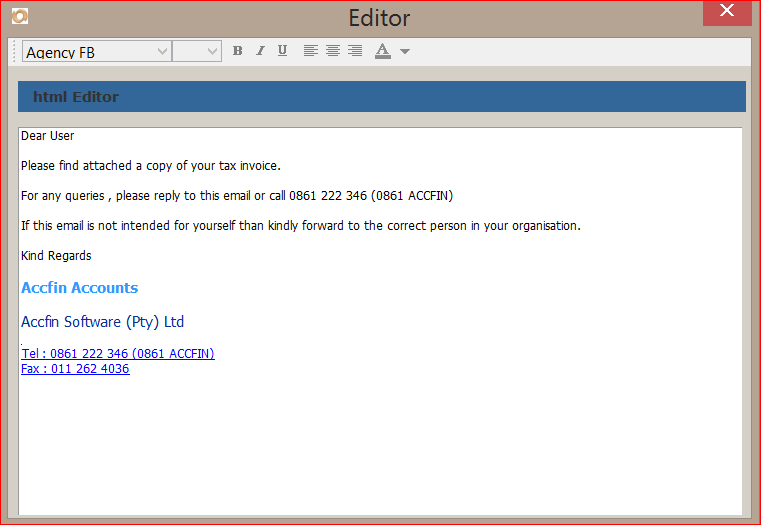
To modify the body to enter html or rich text, change fonts, bold, etc
right click on the body and the following will appear
Here you can edit and format the text as you see fit, using the toolbars at the top.